



ReliaSoft XFRACAS
XFRACAS is a highly configurable, web-based Failure Reporting, Analysis and Corrective Action System (FRACAS).


Manage your incidents and corrective action process
ReliaSoft XFRACAS is a highly configurable, web-based Failure Reporting, Analysis and Corrective Action System (FRACAS). Depending on how you configure your implementation, this can include incident/failure reporting, failure analysis on returned parts, part tracking for serialized systems, root cause analysis, team-based problem resolution and tracking the completion of assigned actions. The software can be integrated with other ReliaSoft applications, which provides intelligent integration between reliability program activities and tools while simultaneously facilitating effective information sharing and cooperation between engineering teams of any size.
Discover what makes XFRACAS the complete platform for incident and corrective action process management
Easy web access for collaboration and deployment
Build a "knowledge base" of lessons learned that can be shared throughout the organization and across multiple sites, suppliers, and customers. Understand the root cause and prevent similar issues.
Highly configurable to fit your organization’s specific processes
Match XFRACAS to your internal processes, and refine them as they evolve. Leverage the flexibility of XFRACAS to scale and make changes within your organization, as well as share the essentials across business units.
Capture data for a variety of reliability analyses
Use data from XFRACAS for life data analysis or repairable system/reliability growth analysis in Weibull++. Share system configuration and failure modes data between XFRACAS and XFMEA / RCM++ / RBI.
Track your products’ and suppliers’ quality and reliability
Achieve design improvements, faster product release, better service, and enhanced customer satisfaction with XFRACAS.
Gain valuable insight to manage corrective actions
Bridge the gap between addressing individual failures and managing efforts to understand, contain and resolve the underlying problems with XFRACAS' closed-loop process.
Effectively identify and solve issues
Manage your products and processes, track your failures and returns, escalate incidents, and implement a corrective action system to prevent reoccurrences and improve performance.
See All Functions
Highly configurable to meet your needs
XFRACAS can be implemented with a single entity (where all users share the same configuration settings and data) or with multiple entities (where different business units have their own separate settings, data and permissions), where you can:
- Turn features on or off
- Configure built-in fields and preferences
- Create your own custom fields
- Define security groups for different access levels
The optional Go-Live Service includes an on-site visit from an XFRACAS implementation specialist, training for up to 10 “power users” and assistance to configure your implementation to meet your particular processes and needs.
Personalized portal for each user
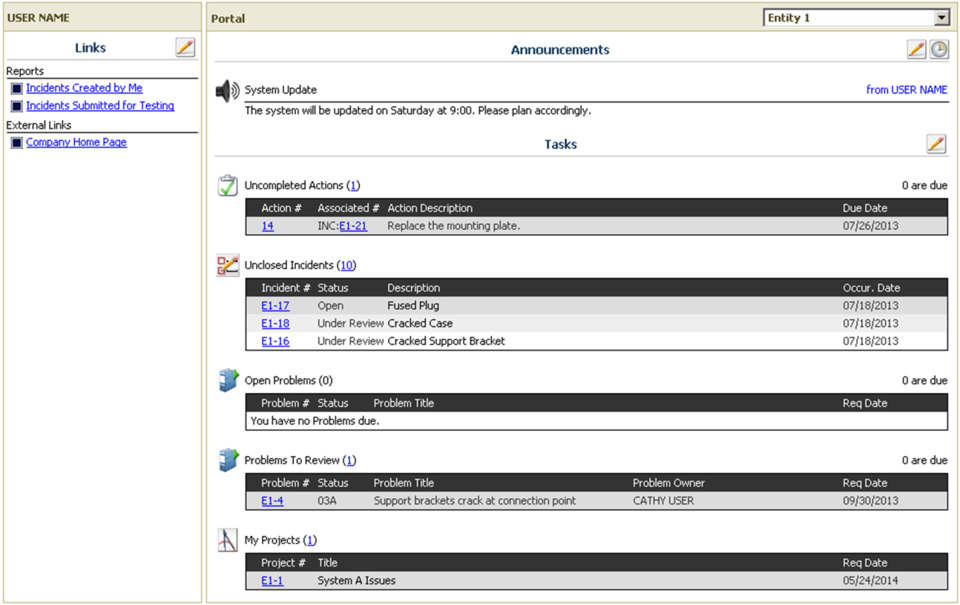
For each user, the XFRACAS home page provides a customizable, at-a-glance view of all the issues you need to work on, such as:
- Actions you need to complete
- Incidents, Problems or Projects you need to work on
- Reports that you frequently use
- Global or local announcements and links
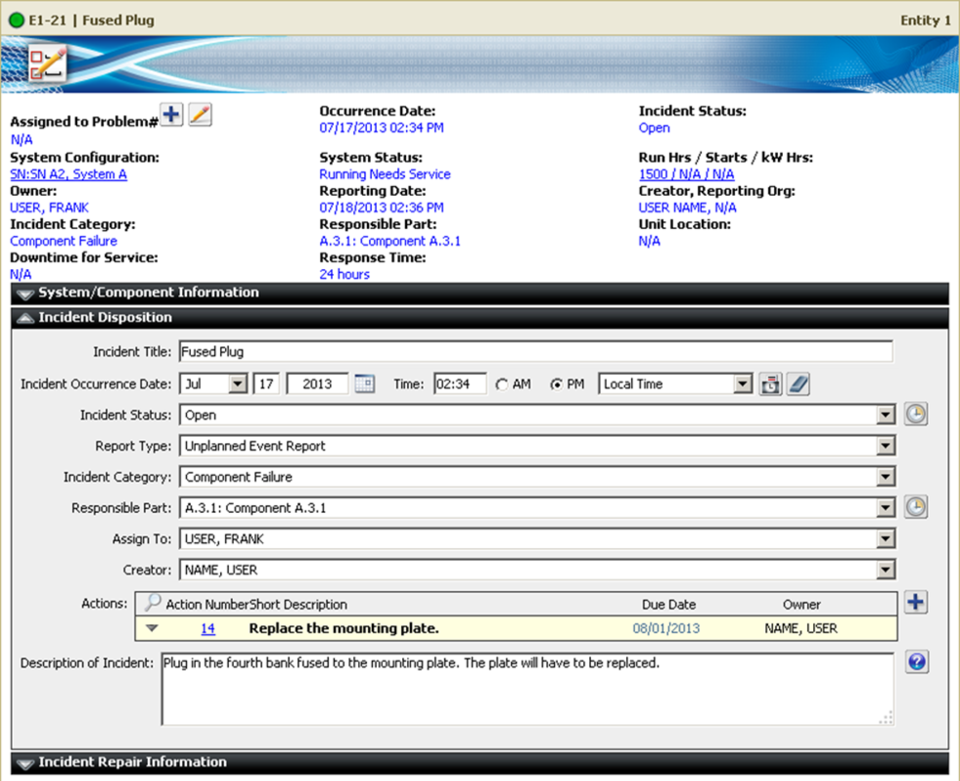
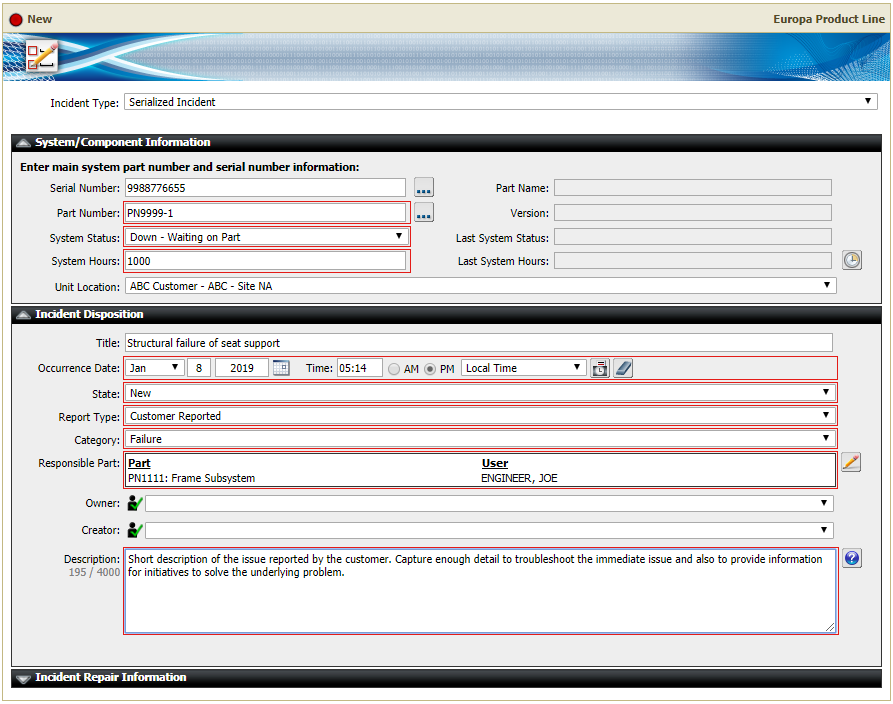
Incident (failure) reporting
In XFRACAS, each “incident” deals with a single instance of a failure, suggestion or other event so you can track how it was addressed and capture sufficient detail for reliability and related analyses:
- Fully describe the incident and link or attach relevant files.
- Identify the responsible part(s) and notify owners.
- Record the operating time/usage when the failure occurred.
- Assign responsibility for specific actions and track their completion.
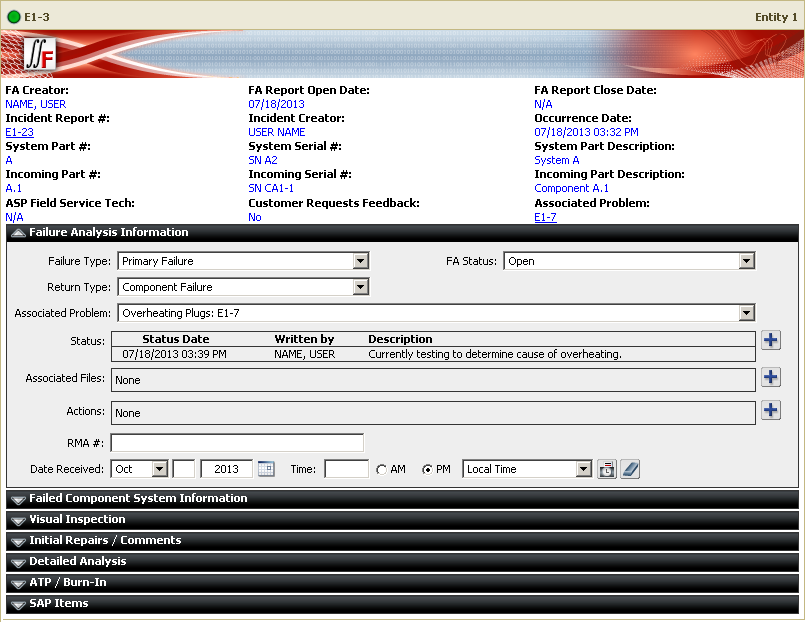
Capture findings from failure analysis on returned parts
If parts are removed/replaced and returned for more in-depth failure analysis, XFRACAS can capture additional details, such as the RMA number, sales order number or work order number, findings from the visual inspection and detailed analysis, fault history or sensor data, or other test results.
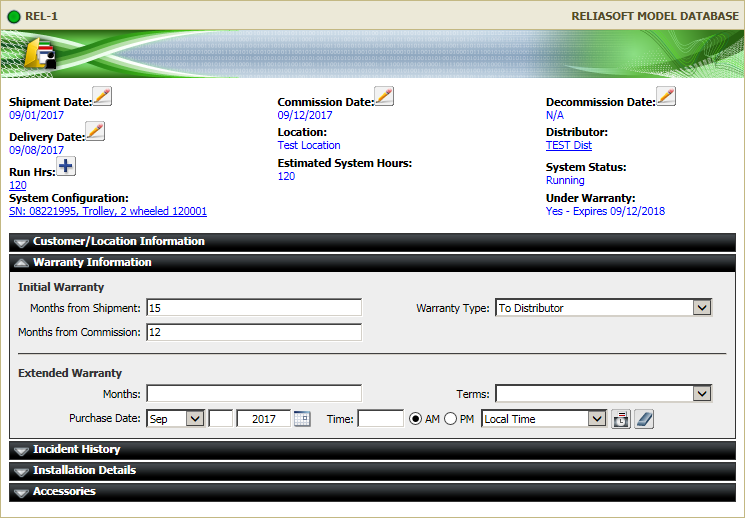
Part tracking for serialised systems
If you are tracking specific systems by serial/TAG number, XFRACAS can capture a detailed history for each piece of equipment, such as:
- Installation details
- Reported incidents
- Operating time or usage
- Exact system configuration as parts are repaired and replaced over time
- Current status of the system (running, waiting for part)
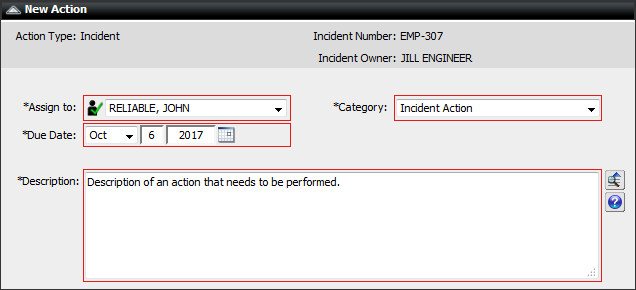
Track completion of assigned actions
Throughout XFRACAS, you can assign actions to system users and track the progress and completion.
- Fully describe the assignment and link or attach relevant files
- Automated e-mail notifications for the person responsible and other users who need to monitor or approve the actions taken
- Reports and charts to track progress and completion
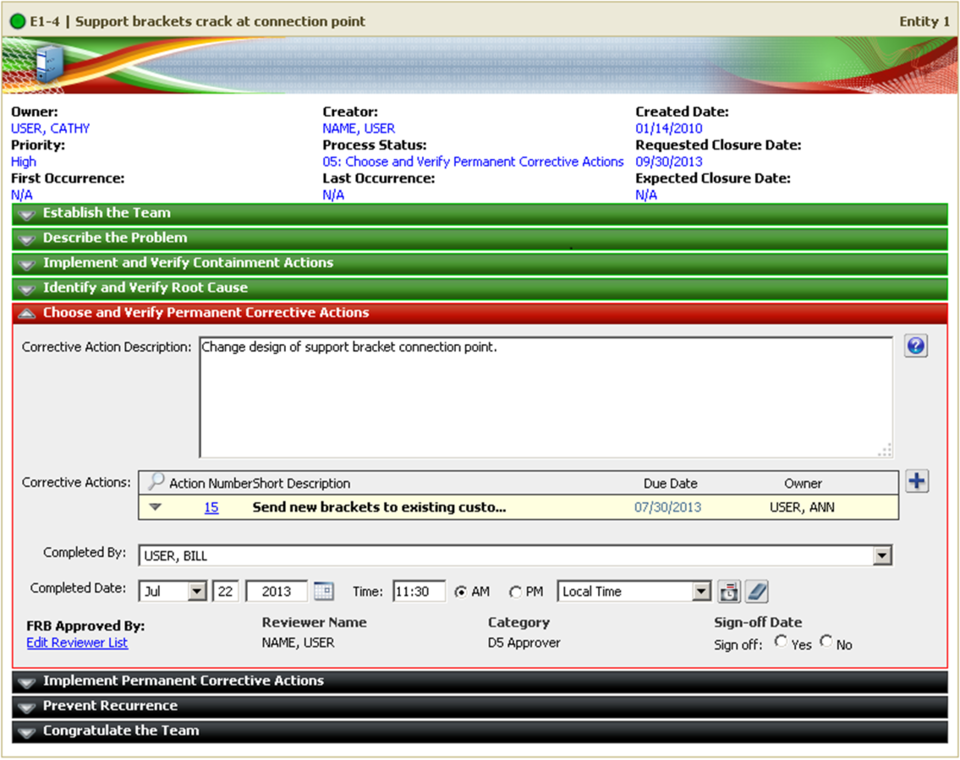
Root cause analysis and team-based problem resolution
In XFRACAS, a “problem” is a larger issue that may require a team-based approach to understand the root cause and implement improvements that will prevent similar issues from occurring again in the future.
- Use any method from 4 to 8 steps (8 Disciplines, Six Sigma DMAIC, DCOV, CAPA)
- Fully describe the problem and link or attach relevant files
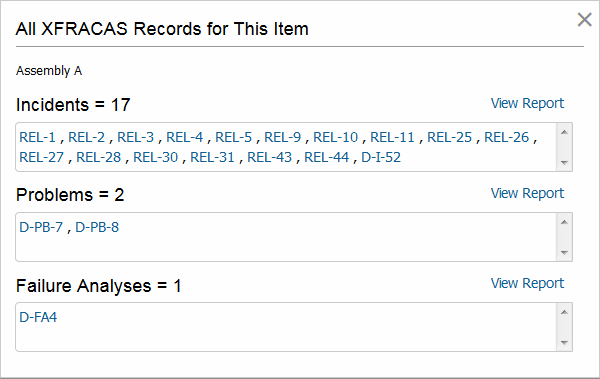
- Link to all related incident reports
- Capture findings from root cause analysis
- Assign responsibility for specific actions and track their completion
- Track review and sign-off by a Failure Review Board (FRB)
Track stats for a group of incidents and problems
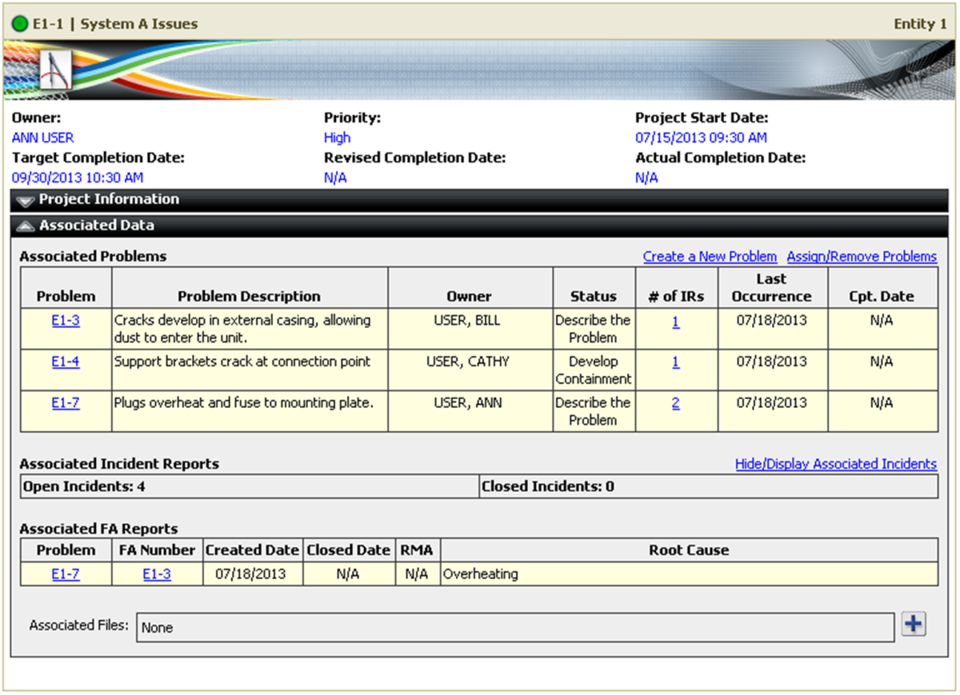
In XFRACAS, a “project” groups multiple problems together and provides quick access to high-level statistics for all associated incidents and problems, such as:
- How many issues are open/closed?
- How long has each issue been in the system?
- What is the status for open issues?
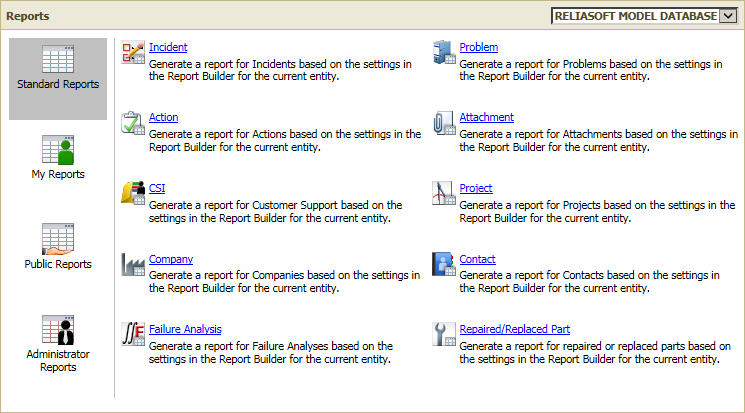
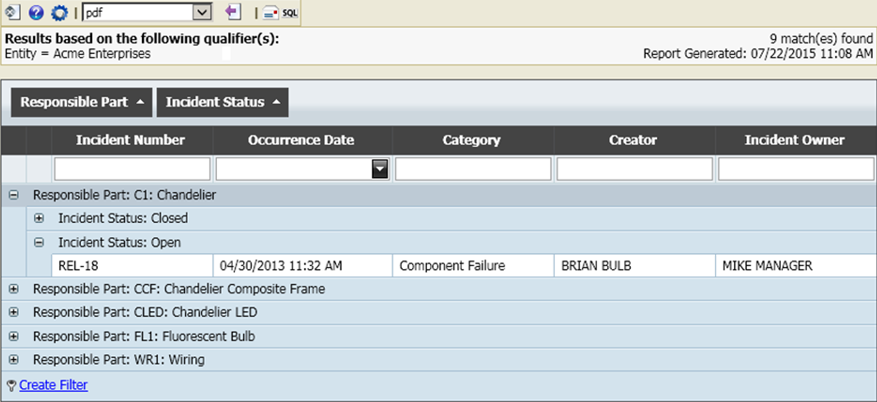
- Filter and sort within the results
- Export to *.xlsx, *.rtf, *.csv, *.pdf
- Link, “watch” and share with other users
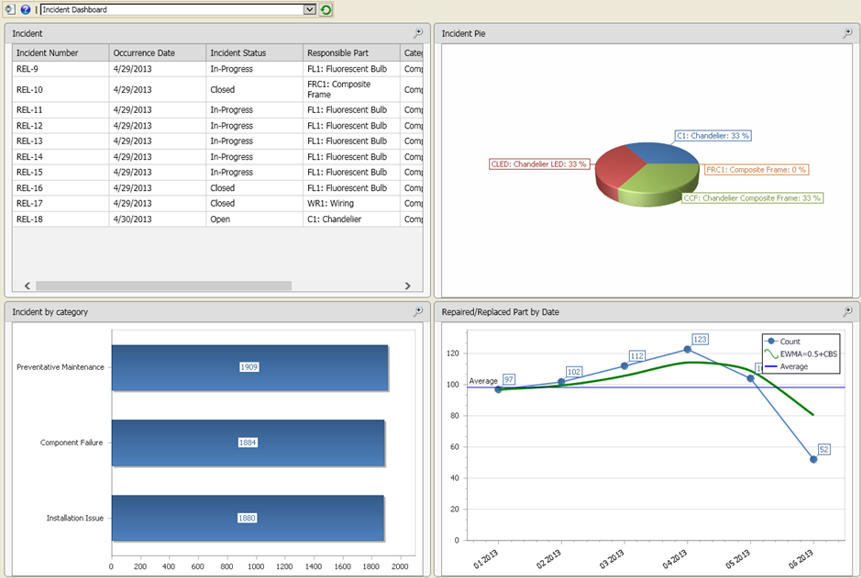
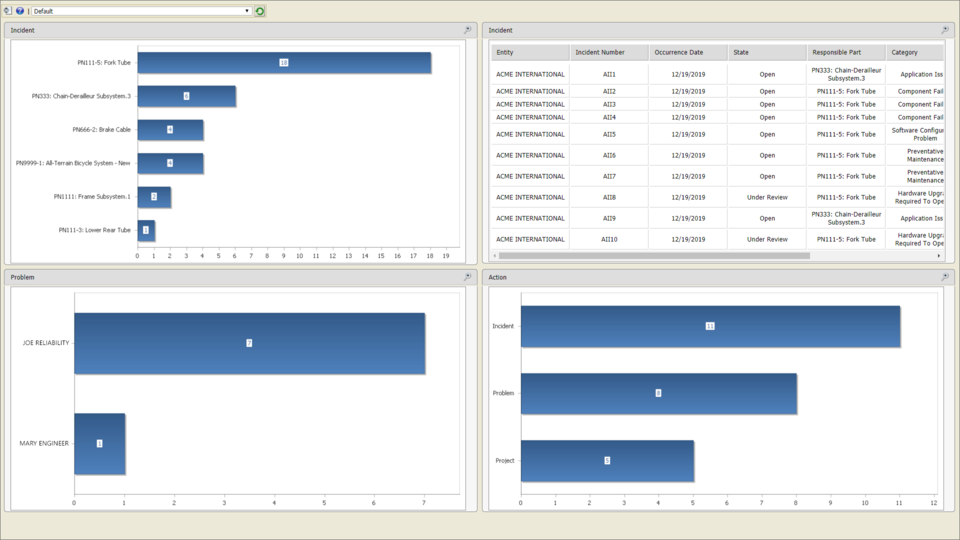
- Bar charts, pie charts, area charts, step charts, scatter charts, line charts
- Highly customizable
- Full drill-down capability
- Configurable dashboards
- Output results to XML, which can be used as a web-based data source in a variety of third-party reporting tools (e.g., Get External Data > From Web feature in Microsoft Excel).
- Define your own custom XSLT style sheets (Extensible Stylesheet Language Transformations).
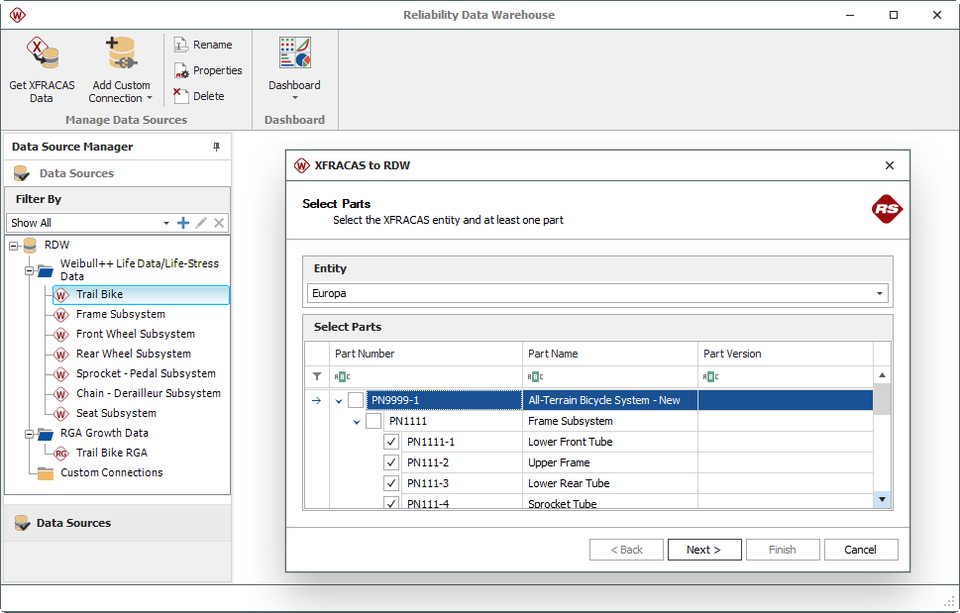
- Synchronize the generic system configurations (“bills of materials”).
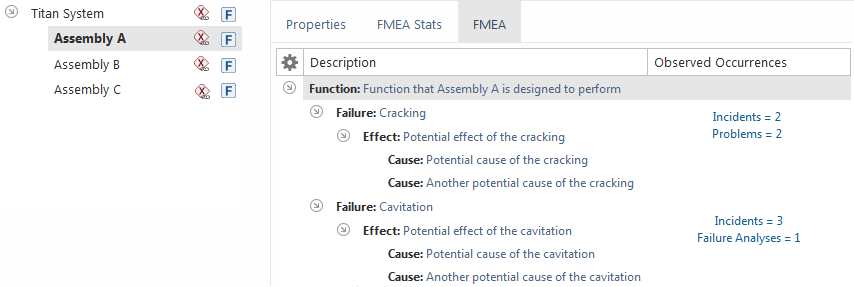
- Use an FMEA to define the failure modes that can be assigned to incidents, problems or failure analysis reports in XFRACAS; or use f
- ailure modes defined in XFRACAS as input to an FMEA.
- Use the quantity of incidents, problems or failure analysis reports in XFRACAS as input to calculate RPNs in an FMEA.
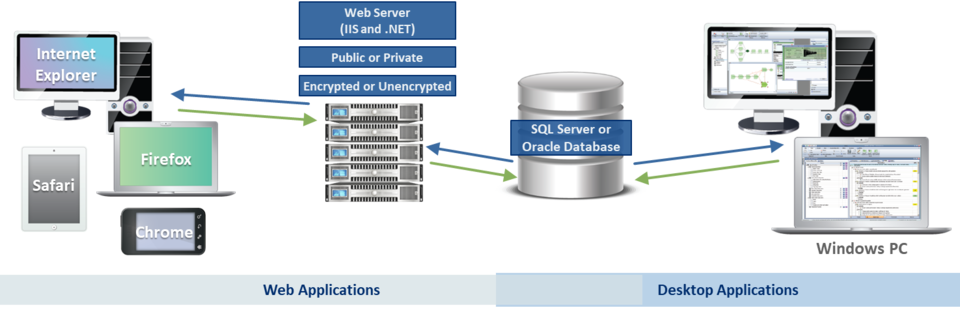
- Windows 2008 R2 or newer
- .NET 4.6
- IIS with support for serving ASP.NET
- SQL Server (2008 or newer) or Oracle (10g or newer)